
Dubai is not a place where you struggle to find a signal. e& and du both run fast, dense 4G and 5G networks across the city, and the connectivity problem tourists actually run into is a pricing one: staying on your home SIM’s roaming rate, or assuming a hotel or mall will cover you for free when it will not.
This guide sizes a Dubai data plan around the three things a typical trip actually does online (mall navigation and payments, a desert safari with patchy coverage, hotel-room admin), compares your day-one connectivity options, and flags the UAE-specific rules that a generic “best eSIM” list will not tell you. Plan details change, so treat the live listing on each product page as the source of truth before you buy. Browse current options in the UAE eSIM category or the wider travel eSIM catalog.

Why a Dubai trip needs a plan, not just Wi-Fi and good intentions
Two assumptions get punctured fast in Dubai. The first is “the hotel Wi-Fi will handle it.” It might, or it might not: an Ookla study of 22 top-rated five-star hotels across the Middle East and North Africa, published in January 2025, found only three properties with a median download speed above 100 Mbps, two of them in Dubai (Raffles The Palm at 122.82 Mbps and Jumeirah Mina Al Salam at 121.35 Mbps). Just over half the hotels in the study reached even 50 Mbps. That is the luxury end of the market; the study did not cover mid-range hotels at all, and there is no reliable data on how they compare. Betting a business call or a video-heavy evening on unverified hotel Wi-Fi is optimistic.
The second assumption is “I will just use the free public Wi-Fi in malls and the Metro.” Du operates the licensed public network, WiFi UAE, across the Metro, trams, RTA taxis and major malls, and the free tier is real: a one-hour session, capped at 512 Kbps. The catch is how you log in. As of this article, du’s own page states that WiFi UAE authentication is built around a UAE mobile number, and international numbers are not yet supported (du describes this as coming “soon”). A travel eSIM’s number, where it has one at all, is not a UAE number, so this free network is not currently something a tourist’s SIM can lean on.
Put those two together and the case for a working data plan of your own stops being about coverage and starts being about control: your own gigabytes, not someone else’s shared bandwidth or a login gate you cannot pass.
What you will actually be doing online: malls, a desert safari, and hotel nights

A typical Dubai itinerary splits into three connectivity situations that behave differently.
Malls and city navigation. Dubai Mall, Mall of the Emirates and similar complexes are enormous, air-conditioned, and genuinely hard to navigate on foot alone. Maps for walking directions, ride-hailing apps to get between districts, and mobile payment all run continuously through an afternoon of shopping, and none of them are individually heavy, but they add up over hours.
Desert safari. Dune-bashing routes run well outside the city grid, and coverage there is patchy rather than absent: e& and du both cover the main desert-camp routes, but signal drops in and out as the vehicle moves between dunes. You are not streaming anything out there; you mostly want a location fix for photos and enough signal to check in once you reach the camp.
Hotel nights. This is admin time: uploading the day’s photos, replying to messages, maybe a work check-in if you are travelling for business. It is exactly the kind of steady, moderate use that either burns through a small data bucket or sits comfortably inside a mid-sized one, depending on whether you also relied on hotel Wi-Fi for it.
None of these three is dramatic on its own. Together, across a week or two, they are enough that “I will just wing it” tends to end in either a slow afternoon or a roaming bill you did not plan for.
Airport SIM, travel eSIM, or your home carrier’s roaming: which wins on day one?
| Option | Ready when you land | Passport shown at point of sale | Order of cost | Best for |
|---|---|---|---|---|
| du/Etisalat airport SIM counter | No, counter queue plus registration | Yes, required | Published tourist plans run roughly AED 49-135 (about $13-$37) for 1-10 GB; du also gives a free 1 GB/24-hour SIM at immigration | Travellers who want a UAE phone number and are fine queuing after a long flight |
| Prepaid travel eSIM | Yes, if installed before departure | Typically no, most listings take only email and payment | From $4.49 for a whole short trip | Travellers who want to be online the moment they land, with no counter and no UAE number |
| Home carrier roaming (no local plan) | Yes, automatically | N/A | Varies by carrier; per-MB rates without an add-on are the ones that produce a large bill | Only with a confirmed day-pass or spending cap already in place |
The tourist SIM prices above are published rates from carrier and reseller listings, not quotes; confirm the current price with du or e& before you rely on them. The structural point holds regardless of the exact number: a counter SIM and a foreign eSIM both solve the same problem, but only one of them requires you to be somewhere in particular, standing in a line, with your passport out, before you can use it.
That passport step is not incidental. Under the UAE’s Telecommunications and Digital Government Regulatory Authority (TDRA) rules, buying a physical SIM in the UAE requires presenting a passport or GCC national ID at the point of sale, with a limit of two SIM cards per provider per visitor. A prepaid travel eSIM bought online from an international provider is a different transaction: most listings ask only for an email address and a payment method. (More on the grey area that creates in the FAQ below.)
How much data does a Dubai trip actually need?
Our data sizing guide gives the general answer by trip length and habit; Dubai does not need a separate formula, it needs you to read that table honestly about which end of each range you sit in.
| Trip length | Light user | Moderate user | Heavy user |
|---|---|---|---|
| 7 days | 2-3 GB | 4-7 GB | 9-15 GB |
| 10 days | 3-5 GB | 6-10 GB | 13-20 GB |
| 14 days | 4-7 GB | 8-14 GB | 18-28 GB |
Two things push a typical Dubai trip toward the upper half of whichever row applies to you. First, mall navigation and ride-hailing run for hours at a stretch across a multi-day trip, which is exactly the “moderate” profile’s daily pattern rather than the “light” one. Second, since the free public Wi-Fi network cannot currently authenticate a foreign number and hotel Wi-Fi quality is not guaranteed, you are less likely than in some destinations to be able to fall back on someone else’s Wi-Fi when your own data runs low. If you are already leaning moderate, buy for the top of that range rather than the middle.
Reading the UAE plans: which SKU actually fits your route
Our UAE category carries plans from three suppliers (Airalo, eSIMGo and NextLink), priced across the same data-and-validity tiers, plus an unlimited line that gives a large full-speed allowance and then slows to 2 Mbps. Representative options, checked 27 September 2026:
| Data / duration | Cheapest listed price | Notes |
|---|---|---|
| 1 GB / 7 days | $4.49 | Enough for a short stopover on light use |
| 3 GB / 30 days | $10.99 | Covers most 3-5 day moderate trips |
| 5 GB / 30 days | $13.99 | A week of moderate mall-and-safari use |
| 10 GB / 30 days | $24.99 | Two weeks of moderate use, or a week of heavy use |
| 20 GB / 30 days | $45.99 | Heavy use across two weeks, or hotspot backup for a laptop |
| Unlimited, 5 to 15 days | From $37.99 (5 days) to $80.99 (15 days) | 30 GB at full speed on the 5-day plan, 60 GB on the 10-day and 90 GB on the 15-day, then capped at 2 Mbps; no daily limit |
Prices and providers on our own site change; confirm the exact figure and supplier on the product page before you buy. One detail is worth checking on any specific listing rather than assuming: whether the plan allows hotspot, which most UAE listings do, but a small number restrict. And if a listing says “unlimited,” read what that means before you buy one for the desert safari day: our look at what “unlimited” actually covers found that the UAE unlimited plans listed at the time dropped to 512 Kbps after 1 GB of full-speed data a day. The three listed on 27 September 2026 work differently: 30 to 90 GB at full speed depending on the length, then a 2 Mbps cap with no daily limit.
Install before you fly, switch on when you land
Every UAE plan we checked activates on first data use, not on installation. That means downloading the eSIM profile at home, on Wi-Fi, days before your flight costs you nothing: the validity clock only starts once you actually connect to a UAE network. Do the setup calmly at home rather than at the gate or after landing.
The sequence that avoids both the counter queue and an accidental early start:
- Buy and install the eSIM at home while you still have reliable Wi-Fi.
- Leave it installed but inactive for the flight; keep your home SIM as the active line.
- After landing, switch on data roaming for the new eSIM line and select it as your data SIM.
- Turn off automatic data switching back to your home line so you do not roam on your own carrier by accident.
UAE rules that do not show up in the marketing
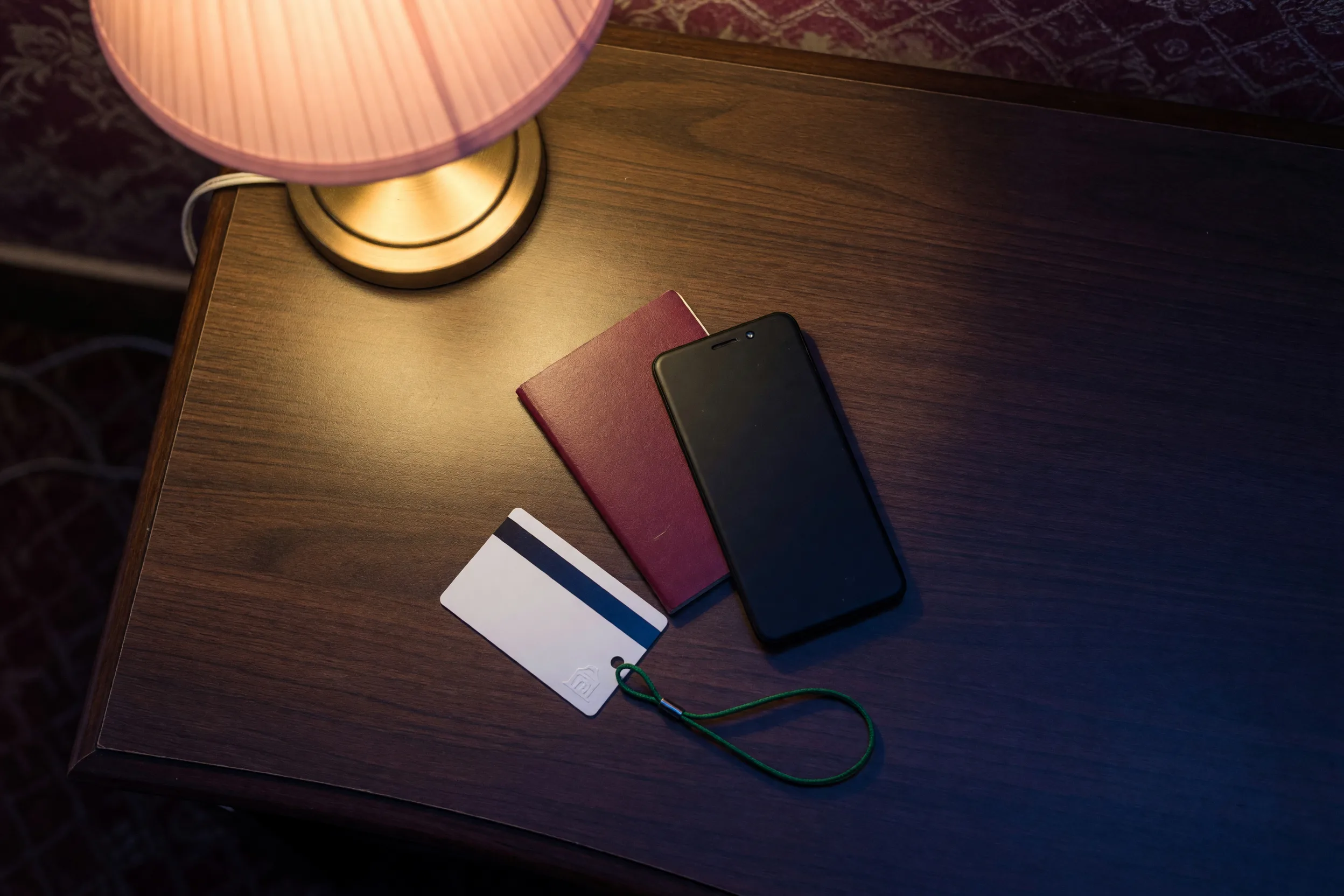
A few things are specific to the UAE rather than generic “travel eSIM” advice, and none of them are dealbreakers, but all of them are worth knowing before you land.
Voice and video calling apps are restricted, regardless of which SIM you use. Under TDRA’s VoIP policy, unlicensed internet calling services are a regulated activity, and both e& and du block unapproved consumer VoIP calling at the network level. In practice this has meant WhatsApp and FaceTime voice and video calls not connecting on UAE networks, while text and photo messaging on the same apps works normally. This is a network-level restriction, not a SIM-specific one: it applies whether you are on a local tourist SIM or a foreign eSIM roaming onto e& or du. If a video call matters, plan on a TDRA-approved calling app or a standard phone call rather than assuming WhatsApp video will connect.
A physical SIM requires your passport; an online eSIM typically does not. As covered above, TDRA rules require a passport or GCC ID for a physical SIM bought in the UAE, capped at two per provider. Selling SIM cards and eSIMs, including online, is formally a regulated activity restricted to UAE-licensed providers and their authorized agents, and TDRA’s own guidance describes unauthorized third-party provision as unlawful. In practice, most international eSIM marketplaces sell UAE eSIMs to travellers against only an email address and a payment method, without any UAE-specific identity check. That gap between the rule and the common practice is real, and it is worth knowing about rather than assuming either “eSIMs are always exempt” or “eSIMs are illegal here,” since neither is quite accurate.
Hotspot is allowed on most UAE plans, but check the specific listing. Sharing your eSIM’s connection to a laptop or a second device works on the great majority of plans in our UAE category; a small number restrict it, so confirm on the product page rather than assuming.
Arrival-day checklist
Before you buy, confirm
- Your eSIM was installed before you flew, on Wi-Fi, and stayed inactive during the flight.
- You have sized your plan toward the top of the moderate range for your trip length, given mall navigation and limited Wi-Fi fallback.
- You checked the specific listing for hotspot support if you plan to tether a laptop.
- You know which calling apps you will use for voice or video, since WhatsApp and FaceTime calls are not reliable on UAE networks.
- You switched on data roaming for the eSIM line and turned off automatic switching back to your home SIM.
FAQ
Before you buy, confirm
- The specific UAE listing allows hotspot, if you plan to tether a laptop or second device;
- Your plan’s activation rule, so installing it at home does not start the clock early;
- Whether you need a UAE phone number at all, since most eSIMs are data-only;
- Your calling plan for voice or video, given the restrictions on WhatsApp and FaceTime calls;
- The current price on the product page rather than any figure quoted here.
Soft next step
If Dubai is one stop on a longer Gulf or Middle East trip, check whether a regional pack covers your other destinations before buying single-country plans for each. Browse current options in the UAE eSIM category or the full travel eSIM catalog. Plan details change, so treat the live listing on each product page as the source of truth before you buy.
For sizing your trip in general, How Much Data Do You Need for Your Trip? walks through the full method, and eSIM vs Physical SIM vs International Roaming compares the underlying costs. For setup, Using a Travel eSIM on iPhone and How to Install a Travel eSIM Before Your Flight cover the mechanics, and Roaming Bill Shock 2026 explains why the do-nothing option is the expensive one.
Do I need to hand over my passport to buy a SIM or eSIM in the UAE?
For a physical SIM bought in the UAE, yes: TDRA rules require a passport or GCC national ID at the point of sale, and visitors are limited to two SIM cards per provider. A prepaid travel eSIM bought online from an international provider is usually a different process, asking only for an email address and payment, though this sits in a regulatory grey area since UAE rules formally restrict SIM and eSIM sales to licensed providers and their agents.
Is Dubai’s roaming really as expensive as people say?
Regional rates in the Middle East for pay-as-you-go roaming without a plan run considerably higher than in Europe or North America, as our roaming bill shock guide sets out. The safe assumption for a Dubai trip is the same one that applies everywhere: either confirm a specific day-pass or bundle with your home carrier before you fly, or buy a local or eSIM data plan and skip the guesswork entirely.
Can I just use mall and hotel Wi-Fi instead of buying data?
Not reliably. Du’s free public Wi-Fi network currently authenticates through a UAE mobile number, so a foreign phone number cannot log in yet, and the free tier is capped at 512 Kbps in any case. Hotel Wi-Fi varies widely: even among top-rated Dubai hotels, published network testing found several properties well under 50 Mbps. Treat Wi-Fi as a bonus, not your primary connection.
Should I install my Dubai eSIM before I leave home?
Yes. Every UAE plan we checked on our own catalogue activates on first data use, not on installation, so installing it at home on Wi-Fi and leaving it dormant for the flight costs you nothing and saves you from setting it up at the airport or fumbling with it after a long flight.
Can I make WhatsApp or FaceTime video calls in Dubai?
Not reliably, on any SIM. UAE telecom rules treat unlicensed internet voice and video calling as a regulated activity, and both major carriers restrict it at the network level, which affects any device connected to their networks regardless of whether the SIM is local or a foreign eSIM. Text and photo messaging on the same apps is unaffected. If a video call matters, use a TDRA-approved calling app or a standard phone call instead.
Updated 8 October 2026: the 20 GB / 30-day price in the table was corrected from $42.99 to $45.99 against the live listing.