
A family eSIM plan usually goes wrong for the wrong reason. Most people worry about running out of gigabytes. The real risk is running out of devices covered. One parent’s phone quietly burns through a shared hotspot while a kid’s tablet drops offline in a museum with no signal.
This guide breaks down when one shared eSIM and a hotspot actually works, when buying one eSIM per device is worth the extra checkout, and how to stop a phone from silently switching back to expensive home roaming mid-trip. Plan details change, so treat the live listing on each EasyTravelData catalog product page as the source of truth before you buy.
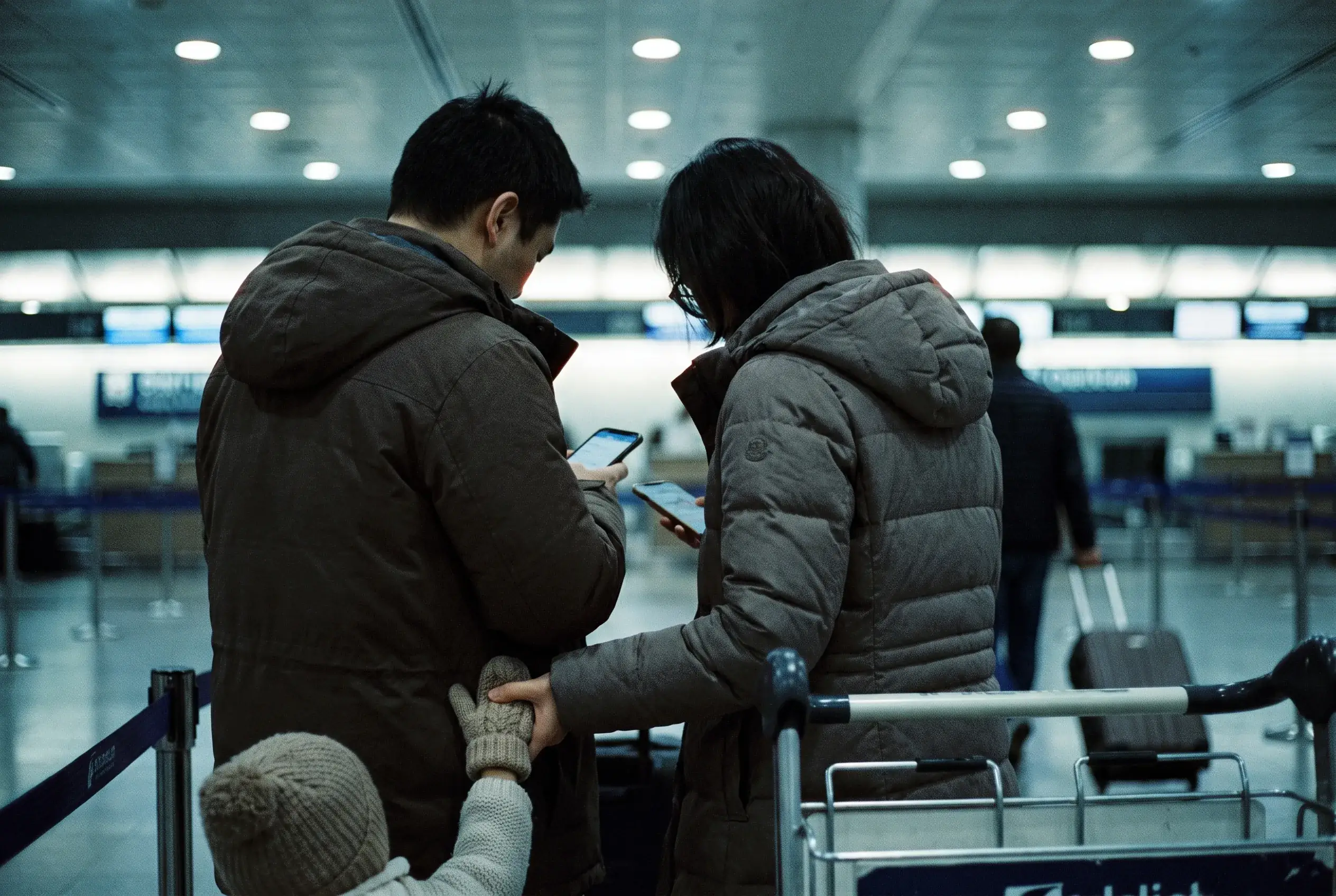
The Real Risk Isn’t How Much Data: It’s How Many Devices
Families rarely run a shared eSIM dry from too much video streaming. What actually happens is more mundane: the phone holding the hotspot goes into low-power mode on a train and drops the connection, or a second phone in the group quietly reconnects to a home carrier’s roaming network because nobody turned data roaming off on it. A week of that kind of unmanaged roaming can sit comfortably in three figures on the bill, on a single device.
That second failure mode is common enough that it gets its own section below, and it is the reason a family eSIM plan needs to be designed around devices, not gigabytes. Once you know how many phones and tablets need their own connection, the data math is the easy part. Our trip data calculator handles that in a couple of minutes, or see our comparison of eSIMs, physical SIMs and roaming if you are still weighing whether eSIM is the right approach for your family at all.
Who Actually Needs Data on Your Trip? Profile Your Family First
Before comparing options, list every device that might need a connection and what it is actually used for. Three roles cover most families:
- Parents: navigation, contactless payments, restaurant and transit lookups, and staying reachable for the rest of the group. Usually the heaviest, steadiest users.
- Kids with a phone or tablet: messaging home, offline games that sync occasionally, and video when there is Wi-Fi nearby. Usage varies more than parents’ because a lot of it happens on hotel Wi-Fi.
- Grandparents or anyone travelling with the group who only calls and texts: this group frequently does not need mobile data at all. A phone set to Wi-Fi calling at the hotel plus texts over Wi-Fi covers most of what they use a phone for on a trip.
That third bullet matters more than it looks: a “family of five” data plan is often really a “family of three or four” data plan once you exclude the person who just wants to call home from the hotel lobby. Counting devices correctly before you buy anything avoids paying for connections nobody uses.
Option A: When One Shared eSIM and a Hotspot Actually Works
Buying a single higher-capacity eSIM and sharing it by hotspot is the simplest option to set up: one purchase, one checkout, one thing to remember to install before you land. It genuinely works well for short trips where the group stays together most of the day: a long weekend city break, or a family that mostly travels as a pack rather than splitting up to sightsee.
It is close to universally supported on the supply side. Checking our own catalog of 1,589 live eSIM products, 1,588 of them (99.9%) allow hotspot or tethering. The question for a family is essentially never “can this eSIM power a hotspot,” it is “should we rely on one phone to carry everyone’s connection.”
The downsides are structural, not occasional bad luck:
- Single point of failure. If the phone holding the hotspot loses battery, goes into airplane mode by accident, or the person carrying it steps into a shop while everyone else is outside, the whole group loses signal at once.
- It ties everyone to one person’s movements. Splitting up (one parent takes the kids to a park while the other runs an errand) breaks the hotspot for whoever walks away from the source phone.
- Device limits. Most phones only support a handful of simultaneous hotspot connections before speeds degrade, which matters once tablets and laptops join the phones already connected.
Option B: What One eSIM Per Device Really Costs
Giving every phone its own eSIM removes the single point of failure: one dead battery or one person peeling off from the group no longer takes everyone’s data with it. It also makes costs easy to track per person instead of guessing who used the shared pool.
The honest downside is friction, not price. Because eSIM retailers, including this one, typically process one eSIM per order, giving four family members their own eSIM usually means four separate checkouts (one QR code or activation link to install on each phone) rather than one purchase covering the group. Budget an extra few minutes per device before you leave, not a bigger phone bill. For trips well past a week, our long-stay eSIM comparison covers how the per-device math shifts at 30, 60 and 90 days.
Here is what that actually costs on a real destination, using live Japan pricing checked on 2026-09-14:
| Approach | What you’d buy | Devices covered | Total price | Checkouts |
|---|---|---|---|---|
| Shared hotspot | 1× Japan Unlimited 7 Days (53 GB fair-use) | 1 phone hotspotting to the rest | $25.99 | 1 |
| One eSIM per device | 2× Japan 10 GB / 30-day (parents) + 2× Japan 5 GB / 30-day (kids) | 4 phones, each independent | $34.96 | 4 |
This table answers the question families actually ask: is fault isolation worth paying for? For a 7-day Japan trip for two adults and two kids, giving everyone their own connection costs about $9 more than one shared eSIM. That’s just over $2 per person. Prices on Japan eSIM plans change, so check the live listing before you buy, but the gap for most destinations stays in this range: a few dollars per device, not a multiple of the shared price.
The Hidden Trap: Phones That Quietly Switch Back to Your Home Line

This is where families lose real money, and it has nothing to do with which option above you pick. A phone with its home SIM still installed, even if you are not using that line, can silently prefer the home carrier’s roaming network the moment your travel eSIM has a weak signal, or if data roaming was never explicitly turned off on it. Nobody notices until the bill arrives, and our roaming bill shock guide walks through exactly how those charges stack up so fast.
Before you leave, on every device in the family:
- Open cellular settings and confirm the travel eSIM, not the home SIM, is the active line for Cellular Data.
- Turn off data roaming on the home SIM specifically, not just on the phone as a whole.
- Double-check this on kids’ phones especially. They are the least likely to notice a silent switch mid-trip and the most likely to be streaming video, which burns through roaming charges fastest.
Our iPhone dual SIM setup guide walks through this line-by-line, and it is worth five minutes per device even if you have installed a travel eSIM before. This is the step people skip on the phones that are not their own.
Can You Actually Run Two eSIMs on the Same Phone?
Yes, on recent phones, but “installed” and “active at the same time” are different things, and this matters if you are considering stacking a travel eSIM alongside a home line rather than buying separate phones for separate lines.
On iPhone, models from the iPhone 13 onward support two active eSIMs at once. You can store eight or more eSIM profiles on the device and switch which ones are turned on, but only two can carry a signal simultaneously (Apple, Using Dual SIM with an eSIM). On Google Pixel, the Pixel 7, Pixel 7 Pro and later models support two active eSIM profiles at the same time, carrier support permitting (Google, Use dual SIM on Pixel phones). Samsung’s support is less consistent across the range, with some newer Galaxy S-series models running two eSIMs at once while other models and regions cap you at one active eSIM plus a physical SIM, so check your specific model’s settings rather than assuming.
The practical takeaway for a family: buying more eSIMs than a phone can run at once does not help that phone. If one teenager is carrying both a home line and a travel eSIM on the same device, confirm it can run two active lines before you count on that setup. Otherwise you are paying to install a plan the phone cannot actually keep switched on alongside the other line.
Keeping Parents Reachable While Kids Stay Online
Splitting eSIMs across the family raises one real concern: parents want to stay reachable on their usual number, not just on a new travel line nobody has. The fix is the same setup used in our iPhone and Android guides: keep the home line turned on for calls and SMS, route Cellular Data specifically to the travel eSIM, and most messaging apps (WhatsApp, iMessage, Google Messages over RCS) keep working over the travel eSIM’s data connection regardless of which line handles voice calls.
For kids without a way to make an emergency call on their own line, agree on one messaging app before the trip and confirm it works over data alone. Most do. A shared family location app also closes most of the gap that used to require keeping everyone on the same hotspot just to know where each other is.
How Much Data Does Your Whole Family Actually Need?

This is where profiling your family in the earlier section pays off. Our data calculator puts moderate use at 4-7 GB per person for a 7-day trip and heavy use (frequent navigation, photo uploads, some video) at 9-15 GB. Multiply that by the number of devices that actually need their own connection, not your total headcount.
| Family members needing data | Combined total, moderate use (7 days) | Combined total, heavy use (7 days) |
|---|---|---|
| 2 (a couple, no kids online) | 8-14 GB | 18-30 GB |
| 3 (2 adults + 1 child) | 12-21 GB | 27-45 GB |
| 4 (2 adults + 2 children) | 16-28 GB | 36-60 GB |
| 5, but only 4 need data (grandparent on Wi-Fi calling) | 16-28 GB | 36-60 GB |
Read the last row first: adding a family member who only needs Wi-Fi calling does not move the total at all. This table answers “how much should we buy in total,” and the strategy comparison table above answers “should we buy it as one plan or several.” Use them together. Size the data first, then decide whether it comes from one shared eSIM or one per device.
FAQ
Can one eSIM power several family phones through a hotspot?
Yes, a single eSIM can power several devices through its hotspot, since 99.9% of the eSIM plans in our catalog support tethering. The trade-off is a single point of failure: if the phone holding the hotspot loses battery or the person carrying it walks away from the group, everyone else loses their connection at once.
How do I stop my phone from switching to expensive home roaming?
Turn off data roaming on your home SIM specifically, not just on the phone as a whole, and confirm the travel eSIM is set as the active line for Cellular Data. This is the single most common source of surprise charges on family trips, because it happens silently.
Do kids’ devices need their own eSIM, or can they share mine?
Either works, but an independent eSIM on a kid’s device gives you cost isolation and one less failure point on longer trips. On a short trip where the family stays together most of the day, sharing a hotspot from one parent’s phone is usually simpler and cheaper.
Should I set a data cap on my child’s phone?
Yes, a device-level data cap combined with an independent eSIM is the strongest protection against an unexpectedly large bill, since it stops usage at a hard limit rather than relying on someone noticing in time.
Which is cheaper for a 10-day family trip: shared roaming or individual eSIMs?
For most families staying more than a few days, individual travel eSIMs work out cheaper per device than international roaming on a home carrier, and the fault-isolation trade-off described above is usually a few dollars per device rather than a large multiple of the shared-eSIM price.
Conclusion
A family eSIM plan is less about gigabytes than most people expect and more about counting devices correctly. Start by listing who in your group actually needs their own data connection. It is usually fewer people than your headcount. A single shared eSIM with a hotspot is the simplest and cheapest option for short trips where the group stays together, while individual eSIMs cost a modest amount more but remove the single point of failure that comes from one phone carrying everyone’s connection. Whichever you choose, the setting most families skip, turning off data roaming on each device’s home SIM, is the one most likely to show up as a surprise charge later.
Before you buy, confirm
- You have counted how many devices actually need their own data connection, not your total headcount.
- You have checked whether your phone model supports two active eSIMs at once, if you plan to stack lines on a single device.
- Data roaming is turned off on the home SIM of every phone in the group, not just the phone as a whole.
- You have compared the total cost of one shared eSIM against one-per-device pricing for your actual destination and trip length.
- Everyone has agreed on one messaging app that works over data alone, in case of separation.
Soft next step
Compare family-sized data options on the EasyTravelData catalog or browse plans for a specific destination, like Japan eSIM plans. Plan details change, so treat the live listing on each product page as the source of truth before you buy.